All pages are best viewed at 1280 x 960 or 1024 x 768 resolution
This site is set for Windows Explorer
Questions or comments? fsbracing@yahoo.com
© 2003-2009 FSB Online Racing League. All Rights Reserved.
This material may not be published, broadcasted, rewritten or redistributed without the owners permission.
Any use of the FSB Racing name, logos or content from the main site and/or forums without written consent is strictly prohibited.
All other trademarks, trade names, or company names referenced herein are used for entertainment and are the property of their respective companies.
 | ||||
| ||||

What is NRTV?
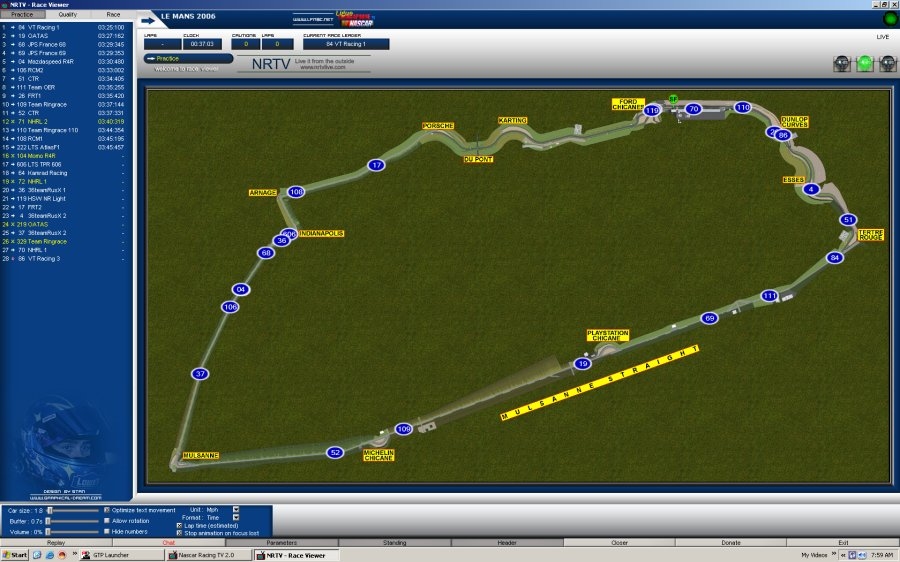
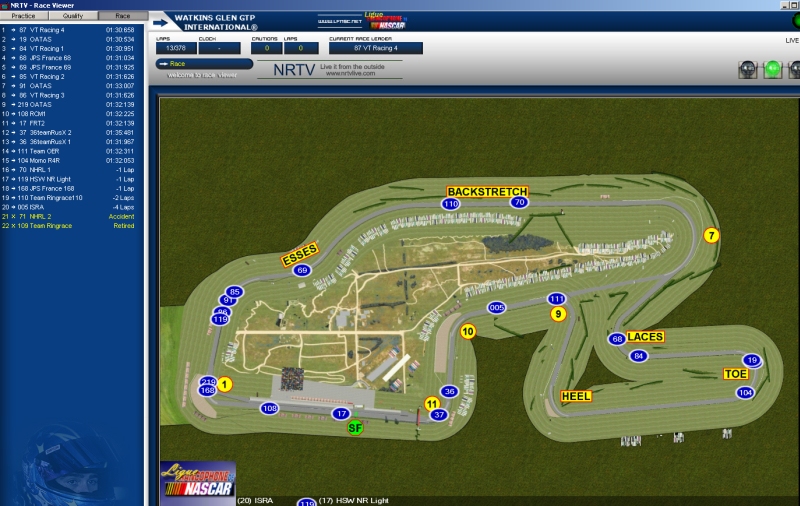
This program allows viewers to enjoy an event live, in real time, without even installing the game. Click the thumbail previews above for examples. Follow the steps below to check it out. It will be set up mainly for GTP racing, our Indy500 and random events all season long.
Installing NRTV
1) Download the NRTV PACK
Install/Run them in this order to the default location suggested: (Program files)
1) NRTV Setup.exe
2) Track Pack 05.exe
3) Any additional tracks needed below.
NRTV Lemans 2008 Maps. Must have both.
(Left click link to open, right click image, save as, default name, to your PROGRAM FILES/NRTV/TRACK folder)
Other NRTV Custom Maps
Using NRTV
1) Open NRTV and select 'Custom Server' at the top of the server list. Then manually type in the current FSB NRTV Server IP. The IP will be listed on the homepage when we are online. Port: 6800 No password is needed.
2) Then click 'Connect' and 'Show the Race' to join the server.
3) You will then be taken to the Race Viewer screen. Under parameters, adjust all settings to your liking. Volume, car size, buffer, etc.
4) On the Race Viewer screen, you can use the following mouse controls to move the track map around and zoom in.
- Press & hold the left mouse button to move the track.
- Push & hold the right mouse button & move the mouse up/down to zoom in or zoom out.
- Click on a car to select it or on a name in the standings.
- Double click on the track to unselect a driver or click under all the names in the standings.
- Right-click on a name in the standings to add/remove a driver from a custom group.
- Double-click on a driver in the standings to get some useful information.
Support for NRTV
Members click here for assistance. Non members are encouraged to email fsbracing@yahoo.com.